Plugin Description
School Meals by Delyriaz is a WordPress and WooCommerce plugin designed to sell school meals, assign each meal to a student, store details such as school, grade, allergies, and notes, and organize orders for kitchen prep, labels, reports, and restaurant payouts.
The plugin turns WooCommerce into a school meal ordering system: parents buy meal products, choose which child each meal belongs to, and the administrator can process the information by school, category/day, restaurant, and order.
Schools
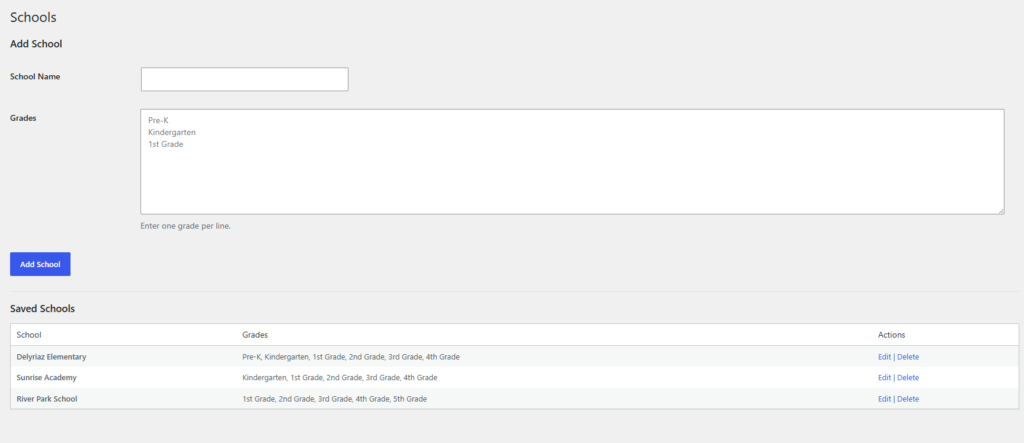
Used to create and manage schools. Each school can have its own grades, so parents can register students with the correct school and grade.
Settings
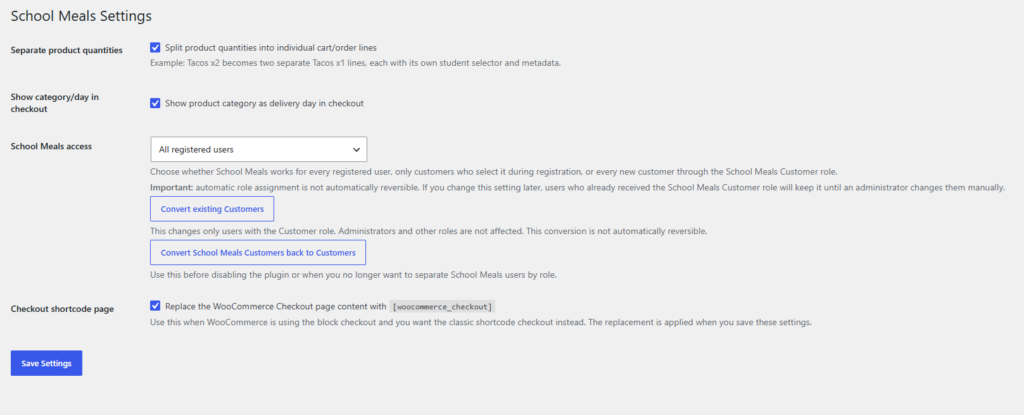
General plugin settings. Includes checkout behavior, user access options, School Meals Customer role settings, and tools to convert users between customer roles.
Days
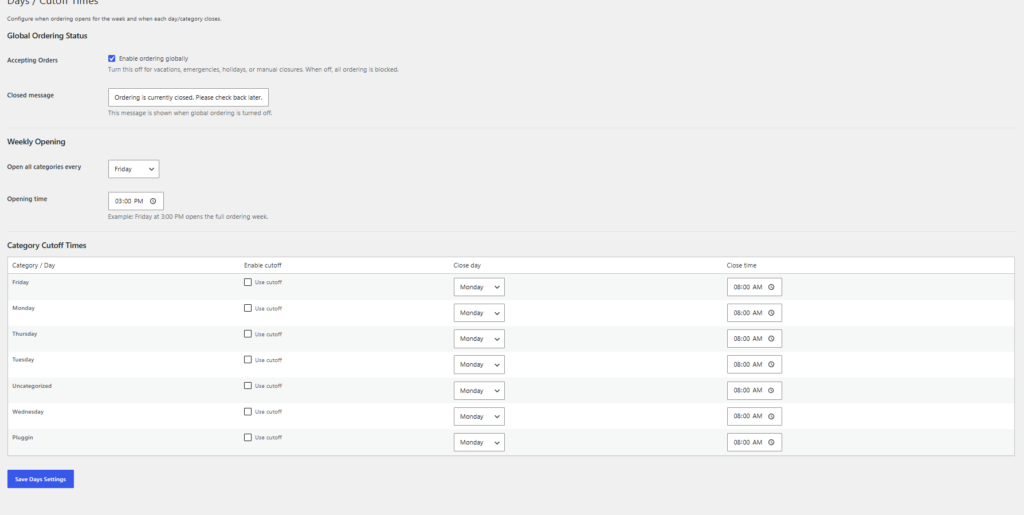
Configures the available ordering categories/days and cutoff times. Even though the menu says “Days,” it works with WooCommerce product categories, such as Monday, Tuesday, Wednesday, or any special meal category.
Orders Sheet
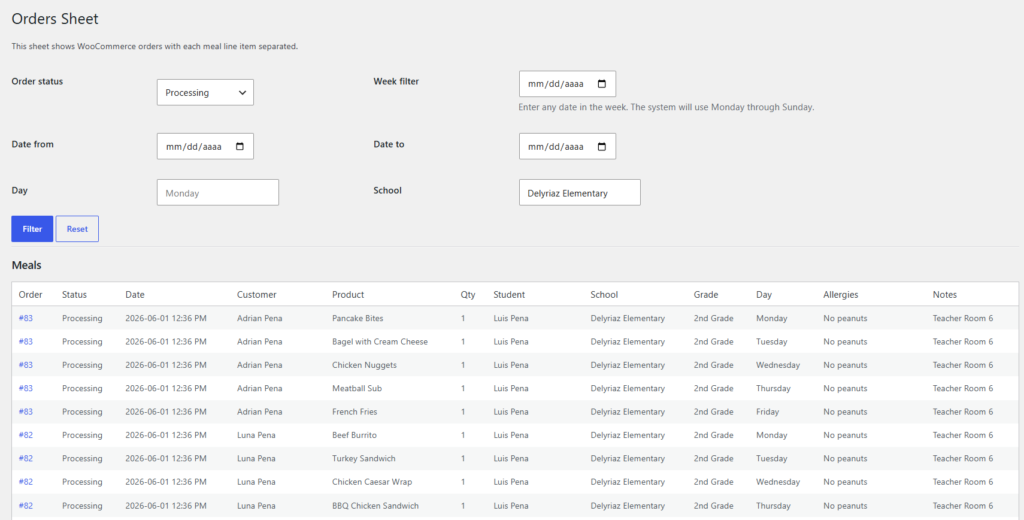
Displays WooCommerce orders in an organized admin format. It helps review orders, meals, students, schools, and order details before generating reports or processing data.
Restaurants
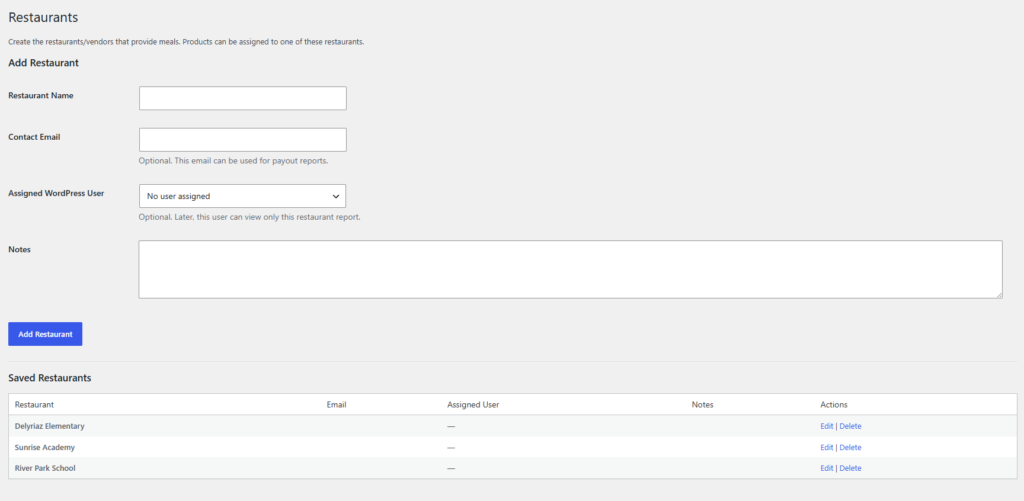
Used to create and manage restaurants or food providers. Restaurants can be assigned to products so the system can later generate restaurant reports and payouts.
Meals Setup
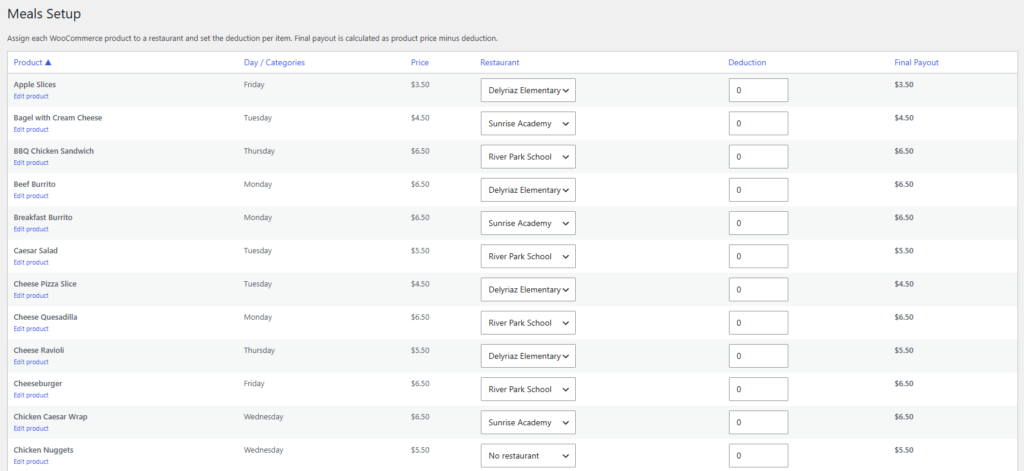
Used to configure meal products and connect them with restaurants, schools, or other required meal settings. This prepares the product data that will later be saved into orders.
Payouts
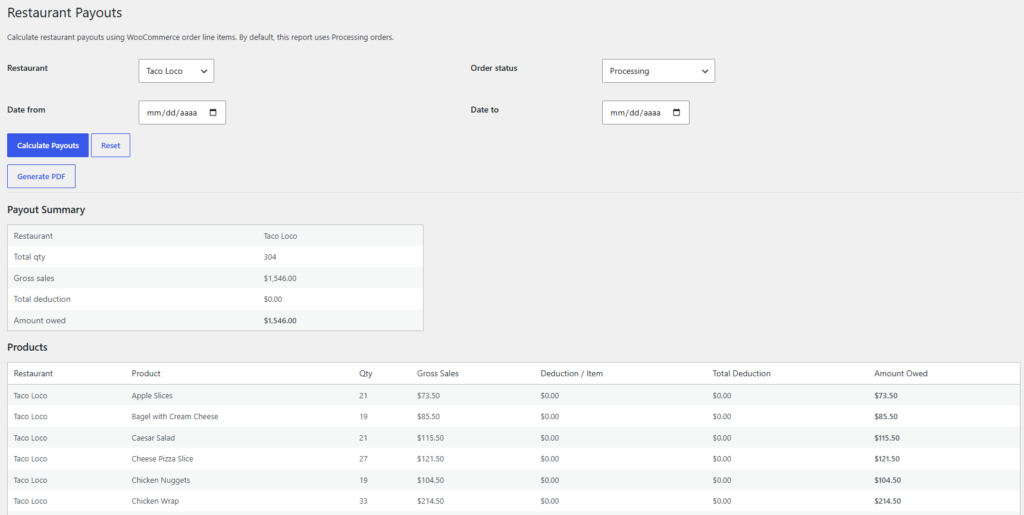
Generates restaurant payout information. It uses sold products, assigned restaurants, and configured deductions to calculate how much should be paid to each restaurant.
Kitchen Report
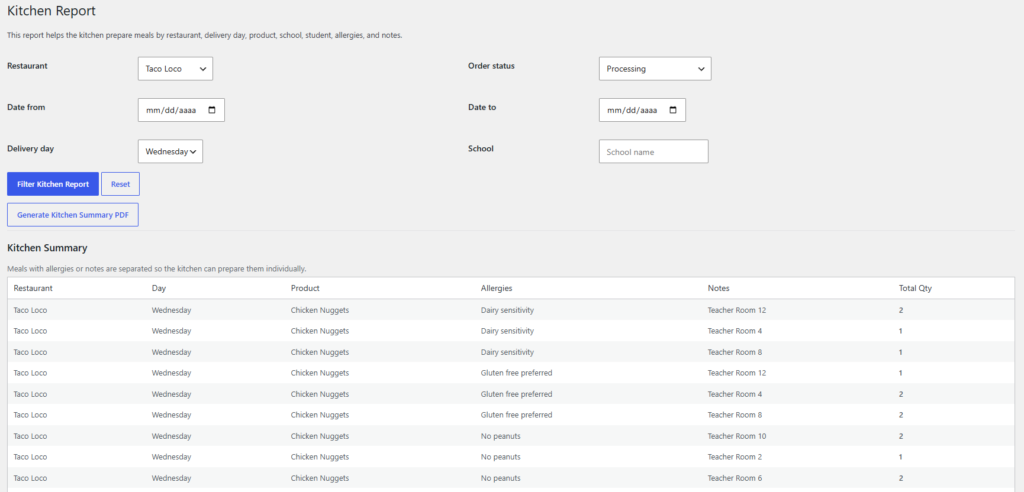
Generates kitchen preparation reports. It summarizes the meals that need to be prepared, usually grouped by school, category/day, product, and quantity.
Labels / Print View
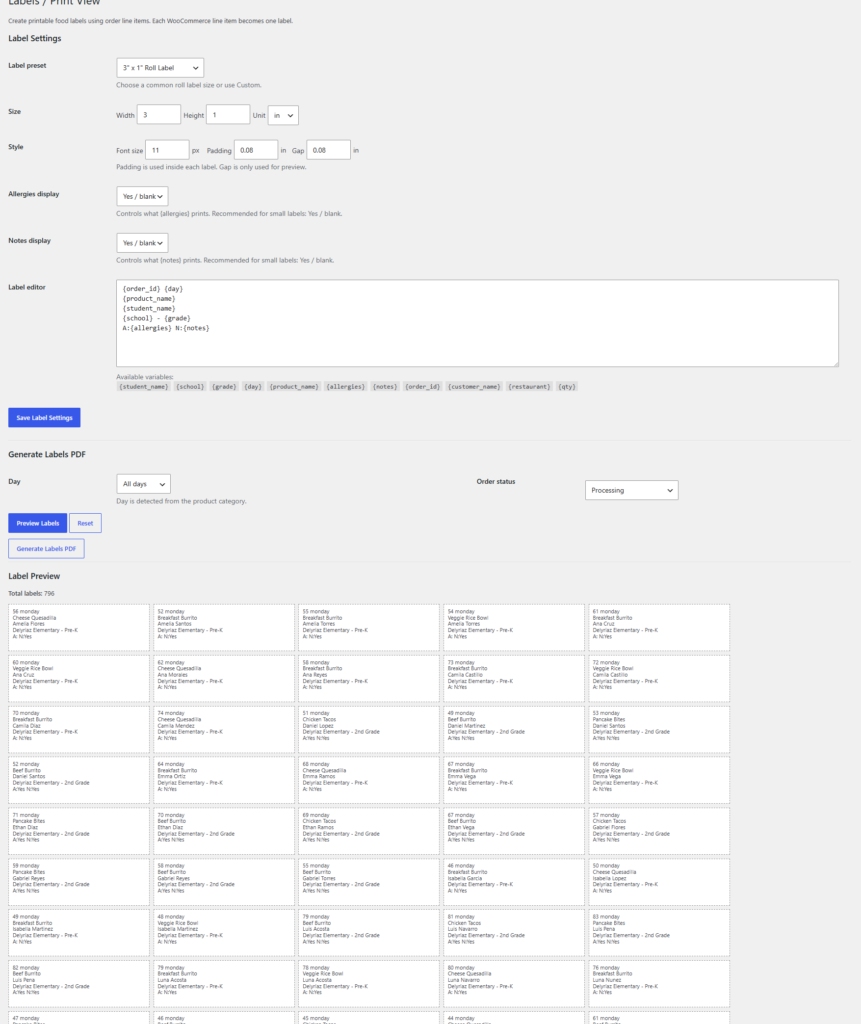
Generates printable meal labels. It uses student, product, school, allergy, and note information to prepare individual labels.
Google Apps Script
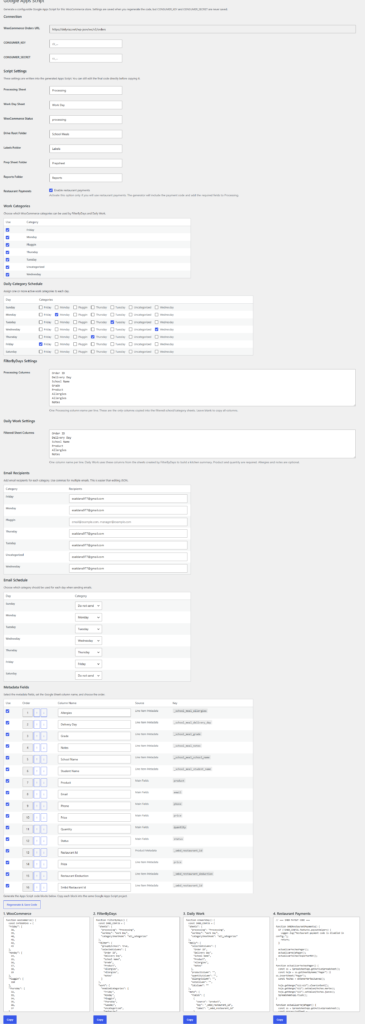
Generates Google Apps Script code for Google Sheets automation. The generated code can automatically import WooCommerce orders, organize them into processing sheets, filter orders by category/day, create work reports, and prepare data for labels, kitchen prep, or restaurant payouts.
This feature is designed to help automate repetitive order-processing tasks and reduce manual work when managing school meal orders in Google Sheets..
Web App
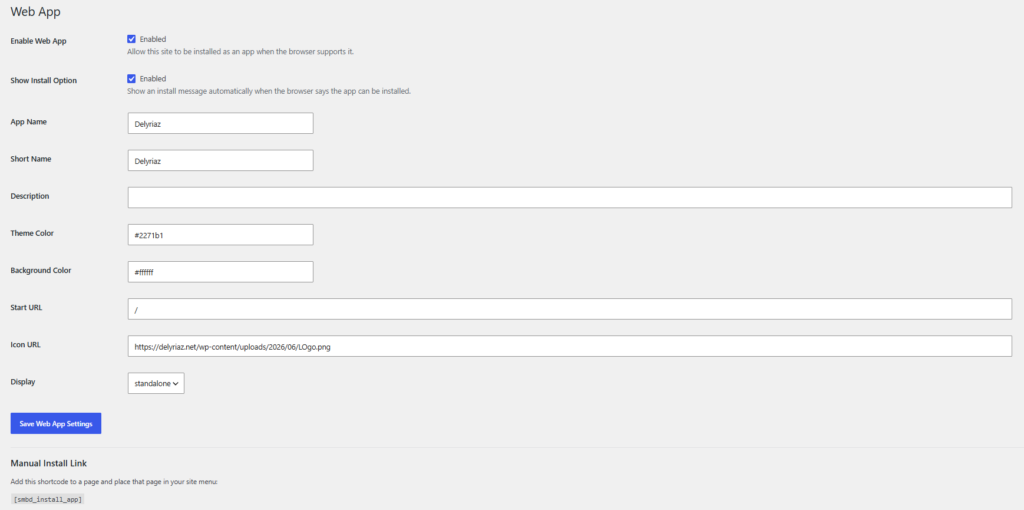
PWA turns your website into an installable web app for phones and tablets. It works perfectly on Android with Google Chrome, where customers can install it directly when the browser shows the install option. On iPhone, Apple does not allow the same automatic install prompt, so customers must open the website in Safari, tap the Share button, and choose Add to Home Screen.
Order School Meals Online
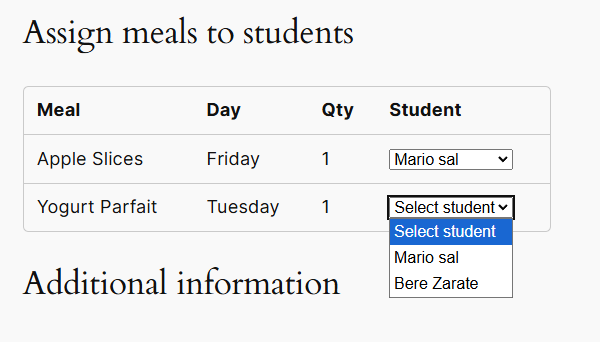
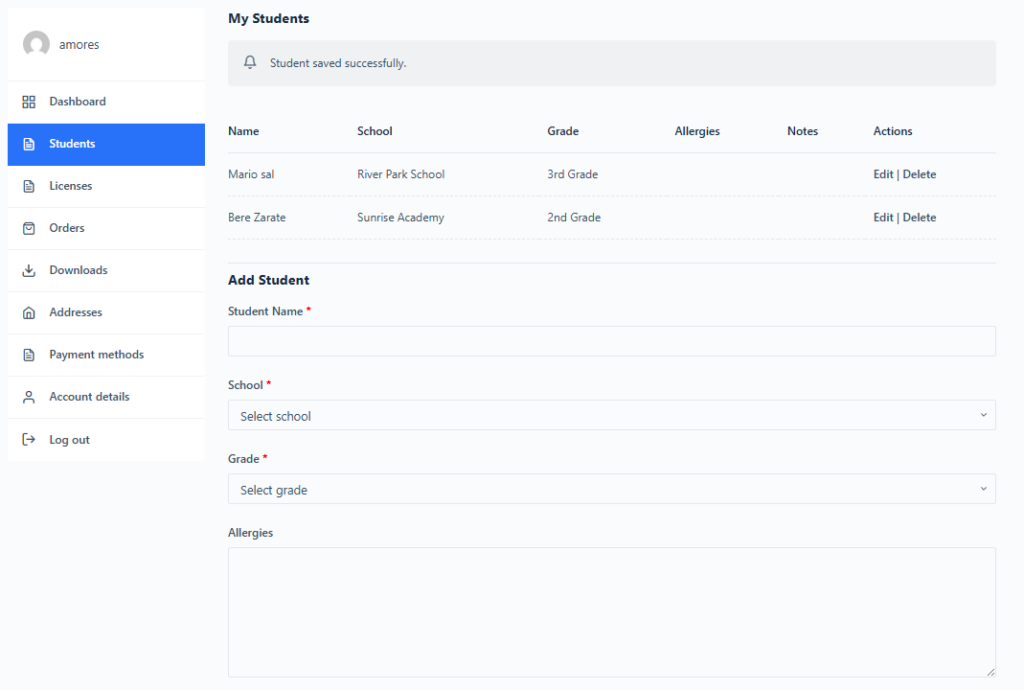
With School Meals by Delyriaz, families can easily order school meals directly from the website.
Parents can create an account, add their children in My Account, and save important details such as school, grade, allergies, and notes. During checkout, each meal can be assigned to the correct student, making it easier to keep every order organized.
After ordering, families can review their meal purchases through their account, while the school or provider receives the information needed to prepare and manage each order correctly.
Setup Assistance Available
Need help configuring the plugin or setting up your school meal system? We offer personalized setup assistance to help you get everything ready, including schools, meals, restaurants, checkout settings, reports, and Google Sheets integration.
We can also help configure the related website pages and run tests to verify that the ordering process works correctly before you start using the system.
Please note that setup assistance is a paid service and is not included for free with the plugin.
For help, contact support to request a setup quote.